 Fly Notes
Voice notes from your wrist.
The fastest way to catch a thought is the screen you're already wearing. One tap on your watch face, say it, done.
How it works
-
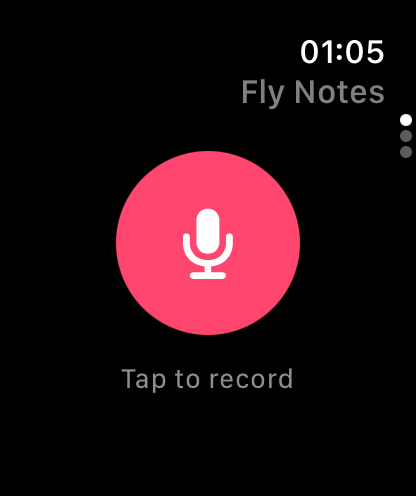
Tap
The Fly Notes complication opens straight to the record button. No unlocking, no scrolling.
-
Talk
Your watch records. Your iPhone transcribes it, then tags, dates, and files it.
-
Trust it
“Remind me Friday at 3” becomes a real reminder. And later, you can ask your notes anything from your phone.
No phone? No problem.
Left your iPhone at home? Keep talking. Notes wait safely on your watch and file themselves the moment your phone is back in range — even if you never reopen the watch app.
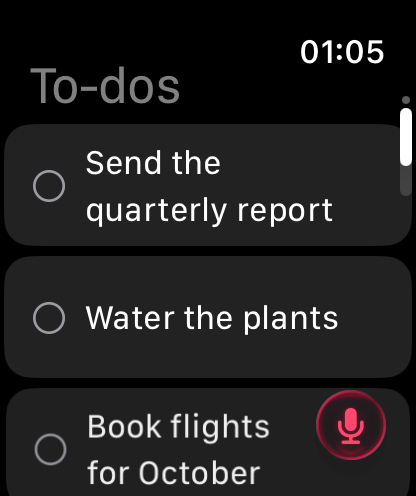
Your to-dos, at a glance
Today's list lives on your wrist. Check things off with a tap; your phone stays in sync.
Straight answers.
Fly Notes for Apple Watch comes with Fly Notes for iPhone — free on the App Store.
- Does Fly Notes work on Apple Watch without the iPhone?
- Your watch records on its own — no phone needed to capture. Transcribing and filing happen on your iPhone, so new notes appear once your phone syncs. A cellular watch works the same way.
- Can I read or edit notes on the watch?
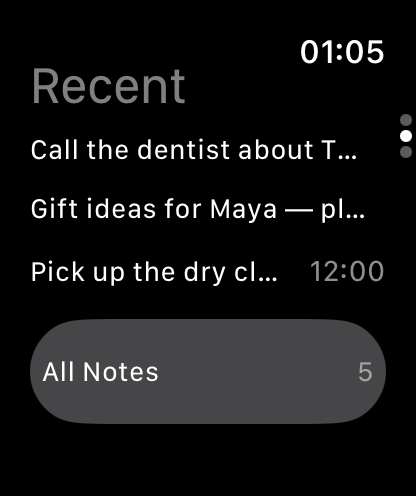
- The watch shows your recent notes and today’s to-dos at a glance. Reading full notes, editing, and Ask stay on the iPhone.
- Is there a watch-face button?
- Yes — add the Fly Notes complication and recording is one tap away.
- Is it free?
- Yes — the watch app comes with Fly Notes.